

Email marketing automation helps businesses send personalized, timely, and relevant emails to subscribers without manually managing every campaign. From welcome messages and abandoned cart reminders to customer retention campaigns, automation improves efficiency, strengthens customer relationships, and supports business growth. With the right email marketing automation tools, companies can create automated email sequences, segment their audiences, and measure campaign performance. This guide explores email marketing automation software, effective strategies, drip campaigns, workflow automation, and practical solutions for small businesses.
Introduction to Email Marketing Automation
In today’s competitive digital landscape, businesses need effective ways to communicate with customers and build long-term relationships. Email remains one of the most reliable digital marketing channels because it allows businesses to deliver personalized messages directly to their audiences. However, manually sending every email, following up with prospects, and managing subscriber lists can become time-consuming as a business grows.
Email marketing automation solves this challenge by using predefined rules, subscriber behavior, and scheduled triggers to send relevant messages automatically. For example, a new subscriber can receive a welcome email immediately after joining a mailing list, while an existing customer may receive product recommendations based on previous purchases.
When implemented correctly, email marketing automation saves time, improves communication, and helps businesses deliver consistent customer experiences. It also complements broader digital marketing activities, including the benefits of digital marketing, by connecting customer engagement with measurable marketing goals.
Email Marketing Automation Tools
Choosing the right email marketing automation tools is an important step toward building successful campaigns. These tools help businesses create email templates, organize subscriber lists, schedule messages, track engagement, and automate communication according to customer actions.
Popular platforms include Mailchimp, Brevo, ActiveCampaign, HubSpot, and Klaviyo. Each platform offers different capabilities, pricing structures, and integration options. Some are suitable for beginners who need simple email campaigns, while others provide advanced customer segmentation, behavioral tracking, and multi-step workflows.
When comparing email marketing automation tools, consider your budget, subscriber volume, ease of use, reporting features, and integration requirements. A small online store may prioritize abandoned cart emails and purchase follow-ups, whereas a B2B company may need lead scoring and sales pipeline integration.
The best choice is not necessarily the platform with the most features. Instead, select a solution that supports your current needs and can scale as your business expands. Testing a free plan or product demonstration can help you determine whether a platform fits your marketing objectives.
Automated Email Campaigns
 Automated email campaigns deliver messages based on specific triggers, schedules, or subscriber behavior. Instead of sending every email manually, marketers create a campaign once and allow the system to manage delivery according to established conditions.
Common examples include welcome emails, birthday offers, purchase confirmations, product recommendations, and re-engagement messages. A welcome campaign, for instance, can introduce a brand, explain its products or services, and encourage new subscribers to take their next step.
Successful automated email campaigns focus on relevance rather than sending a large number of messages. Each email should provide useful information, address a customer need, or guide the recipient toward a meaningful action.
Personalization also makes campaigns more effective. Using a subscriber’s name, interests, purchase history, or preferred content can make messages feel more relevant. Businesses can strengthen these campaigns further by applying the principles discussed in this event marketing messaging guide, particularly the importance of clear messaging and audience engagement.
Email Marketing Automation Software
Email marketing automation software combines campaign creation, contact management, scheduling, analytics, and workflow management in one platform. It enables businesses to manage communication throughout the customer journey, from the first interaction to repeat purchases and long-term loyalty.
Many platforms include visual workflow builders that allow marketers to connect triggers, conditions, delays, and email actions. For example, when someone downloads a guide, the software can send the resource immediately, follow up with educational content after two days, and introduce a relevant service later.
Advanced email marketing automation software may also offer predictive analytics, dynamic content, CRM integration, and lead scoring. These capabilities help businesses understand subscriber behavior and deliver communication based on customer interests.
Before investing in software, identify the tasks you want to automate and the outcomes you want to measure. Compare deliverability tools, reporting accuracy, integration options, and subscription costs. Reliable software should make marketing easier to manage rather than introduce unnecessary complexity.
Email Workflow Automation
Email workflow automation organizes messages into a sequence that responds to customer actions or changes in their relationship with a business. A workflow typically includes a starting trigger, conditions, waiting periods, and one or more automated actions.
For example, a new subscriber might receive a welcome email immediately. After three days, the system could send an educational message. If the subscriber clicks a product link, the workflow might provide additional product information. If the subscriber does not engage, the system could send a different follow-up.
Effective email workflow automation requires careful planning. Marketers should map the customer journey, define the purpose of every message, and prevent overlapping campaigns from overwhelming subscribers.
It is also important to test workflows before activating them. Check timing, links, personalization fields, mobile formatting, and exit conditions. Reviewing performance regularly ensures that workflows continue to meet customer expectations as products, audiences, and business goals change.
Email Automation Strategies
Strong email automation strategies begin with a clear understanding of the target audience. Businesses should identify customer needs, define campaign objectives, and determine which interactions would benefit from automated communication.
One effective approach is to develop lifecycle campaigns. These campaigns support customers at different stages, including awareness, consideration, purchase, onboarding, and retention. Each stage requires different information and calls to action.
Another important strategy is behavioral personalization. Rather than sending the same message to everyone, businesses can tailor emails according to website activity, previous purchases, email engagement, or expressed preferences.
Regular experimentation is equally valuable. Testing subject lines, sending times, email layouts, and calls to action can reveal which messages perform best. Track open rates alongside click-through rates, conversions, unsubscribes, and revenue to gain a more complete understanding of performance.
Your email automation strategies should also align with other marketing channels. Coordinating email with social media and content marketing creates a more consistent brand experience. Businesses developing a broader digital presence can use this social media marketing strategy guide to support a connected approach to audience engagement.
Marketing Automation for Small Businesses
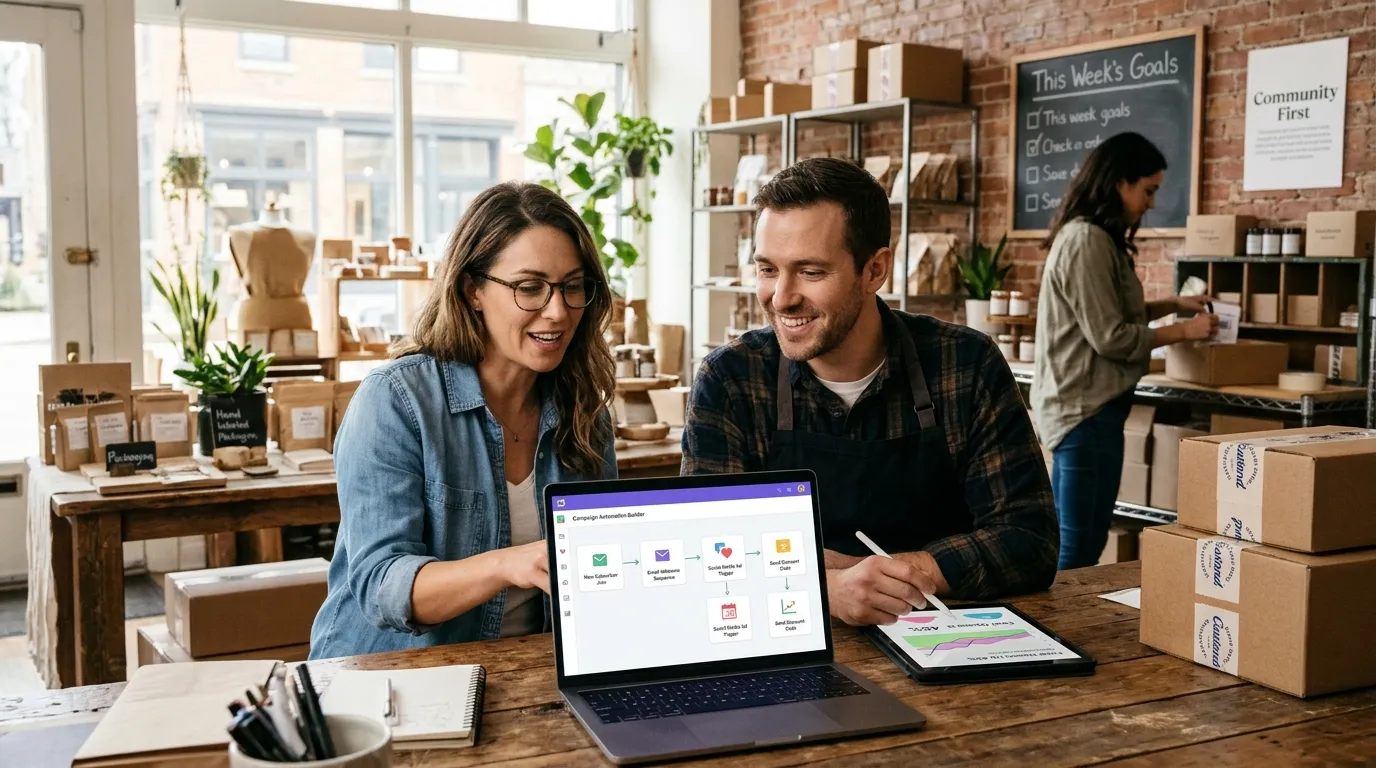 Marketing automation for small businesses provides an opportunity to compete more effectively without requiring a large marketing team. Automated communication helps small companies nurture leads, maintain customer relationships, and reduce repetitive administrative tasks.
A local service provider, for example, can automatically send appointment confirmations, reminders, and post-service feedback requests. An online retailer can welcome new subscribers, recover abandoned carts, and follow up after purchases.
The key is to start with a manageable number of workflows. Automating every possible interaction immediately can create unnecessary complexity. Instead, identify repetitive tasks that have a clear business benefit and build from there.
Budget planning is another important consideration. Small businesses should evaluate subscription costs, contact limits, integration expenses, and the time required to manage their systems. This marketing budgeting and planning guide can help businesses think more strategically about allocating resources and optimizing marketing spend.
By starting with simple workflows and reviewing results regularly, small businesses can develop a practical automation system that grows alongside their customer base.
Email Drip Campaigns
Email drip campaigns deliver a planned series of messages over a specific period. Each email builds on the previous one, helping subscribers understand a topic, evaluate a product, or become more familiar with a brand.
A typical drip campaign might begin with an introductory email, followed by an educational message, a customer success story, and a final invitation to explore a product or service. The timing depends on the audience, campaign objective, and complexity of the decision.
Drip campaigns are particularly useful for lead nurturing because prospects often need several interactions before making a purchase. Providing helpful information over time allows businesses to maintain engagement without requiring constant manual follow-up.
However, successful drip campaigns should not feel repetitive or overly promotional. Each message should offer something valuable, whether that is practical advice, answers to common questions, relevant resources, or a clear explanation of a product’s benefits.
Monitor engagement throughout the sequence and adjust the content when subscribers show different interests. Always provide an easy way to unsubscribe and respect the communication preferences of your audience.
Automated Email Sequences
Automated email sequences are connected messages designed to guide subscribers toward a particular outcome. Although they can function similarly to drip campaigns, sequences may also change depending on subscriber behavior or specific conditions.
For example, an onboarding sequence for new customers might begin with account setup instructions, continue with product tutorials, and finish with tips for getting better results. If a customer completes an important action early, the workflow can move them to the next relevant message.
Businesses can also create abandoned cart sequences, post-purchase follow-ups, event registration reminders, and customer win-back campaigns. Each sequence should have a defined purpose and a logical progression.
When creating automated email sequences, consider how frequently subscribers should receive messages and when a sequence should stop. A customer who has already purchased a product should not continue receiving emails urging them to buy the same product.
Reviewing conversion rates, click-through rates, and unsubscribe patterns helps marketers improve sequence timing and content. The goal is to make communication more useful and timely, not simply increase the number of emails sent.
Email List Segmentation
Email list segmentation divides subscribers into smaller groups based on shared characteristics, interests, behaviors, or preferences. This allows businesses to send more relevant messages instead of delivering identical content to their entire mailing list.
Common segmentation methods include demographic information, purchase history, geographic location, engagement levels, and customer lifecycle stage. For example, a clothing retailer might send different recommendations to customers interested in formal wear and customers who prefer casual clothing.
Segmentation becomes even more powerful when combined with automation. When a subscriber makes a purchase or updates their preferences, the system can adjust their segment and deliver more appropriate content automatically.
Accurate data is essential for effective segmentation. Businesses should collect information transparently, keep contact records updated, and avoid unnecessary personal data collection. They should also respect consent requirements and applicable privacy regulations.
By combining thoughtful segmentation with personalized messaging, businesses can improve customer experiences, reduce irrelevant emails, and make their marketing communication more effective.
Email Autoresponder Tools
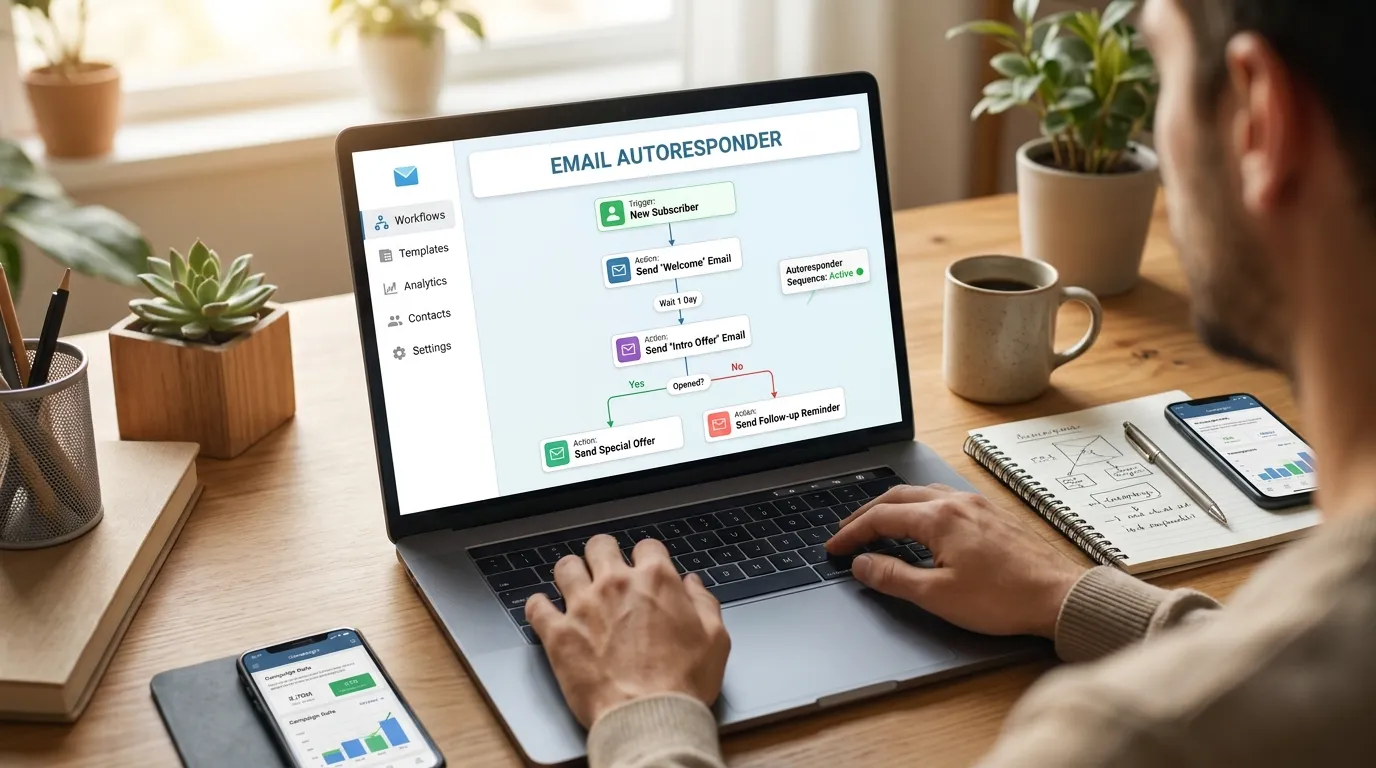 Email autoresponder tools automatically send a message after a specific event, such as a subscription, purchase, form submission, or customer inquiry. They are useful for delivering immediate responses and maintaining consistent communication when a marketing team is unavailable.
A simple autoresponder might thank someone for subscribing and explain what they can expect from future emails. Another could confirm a purchase and provide order information, while a service business might acknowledge a submitted inquiry and explain when the customer can expect a response.
Many email marketing platforms include autoresponder functionality alongside more advanced automation features. When selecting a tool, consider template customization, delivery reliability, integrations, analytics, and ease of setup.
Autoresponders should provide clear and accurate information. Avoid promising response times that your team cannot meet, and ensure that transactional notifications are appropriate for their intended purpose.
Although autoresponders handle routine communication, they should not replace human support when a customer needs personalized assistance. Combining automated responses with accessible customer service creates a more helpful and trustworthy experience.
Conclusion
Email marketing automation gives businesses a practical way to improve communication, save time, and build stronger customer relationships. From choosing suitable tools to creating workflows, drip campaigns, and segmented email lists, each component contributes to a more organized marketing process.
The most successful approach starts with clear objectives, useful content, responsible data practices, and regular performance reviews. Businesses should begin with a few high-value workflows, measure the results, and expand their automation as their needs evolve.
When supported by the right software and a customer-focused strategy, email marketing automation can help businesses nurture leads, improve retention, and create more consistent experiences throughout the customer journey.
FAQ
1. What is email marketing automation?
Email marketing automation is the use of software, triggers, and predefined workflows to send emails automatically based on subscriber actions, preferences, or scheduled events.
2. What are the main benefits of email marketing automation?
The main benefits include time savings, personalized communication, consistent follow-ups, improved lead nurturing, better audience segmentation, and easier campaign performance tracking.
3. Which email marketing automation tools are best for beginners?
Mailchimp and Brevo are options worth exploring for beginners. The best choice depends on your budget, required features, contact list size, and preferred level of customization.
4. Is email marketing automation suitable for small businesses?
Yes. Small businesses can automate welcome emails, appointment reminders, lead follow-ups, abandoned cart messages, and customer feedback requests without hiring a large marketing team.
5. What is the difference between a drip campaign and an automated email sequence?
A drip campaign usually delivers messages over a planned timeline. An automated email sequence can also respond dynamically to customer behavior, actions, or conditions.
6. How does email list segmentation improve campaign performance?
Segmentation groups subscribers by shared interests, behaviors, or characteristics, helping businesses send more relevant messages and reduce unnecessary communication.
7. How often should automated emails be sent?
The ideal frequency depends on the audience and campaign purpose. Send messages when they provide value, avoid overlapping workflows, and monitor unsubscribes and engagement to identify potential problems.
8. Can email marketing automation increase sales?
Yes. Automated product recommendations, lead nurturing, abandoned cart reminders, and post-purchase campaigns can support conversions when they are relevant, timely, and well targeted.
9. How can businesses measure email automation success?
Businesses can track click-through rates, conversion rates, bounce rates, unsubscribe rates, revenue, and subscriber engagement. The most useful metrics depend on each campaign’s objectives.
10. Is email marketing automation difficult to set up?
Basic automation is usually straightforward with modern email marketing platforms. Starting with a welcome email or a simple follow-up sequence makes it easier to learn before developing more advanced workflows.



Leave a Reply