

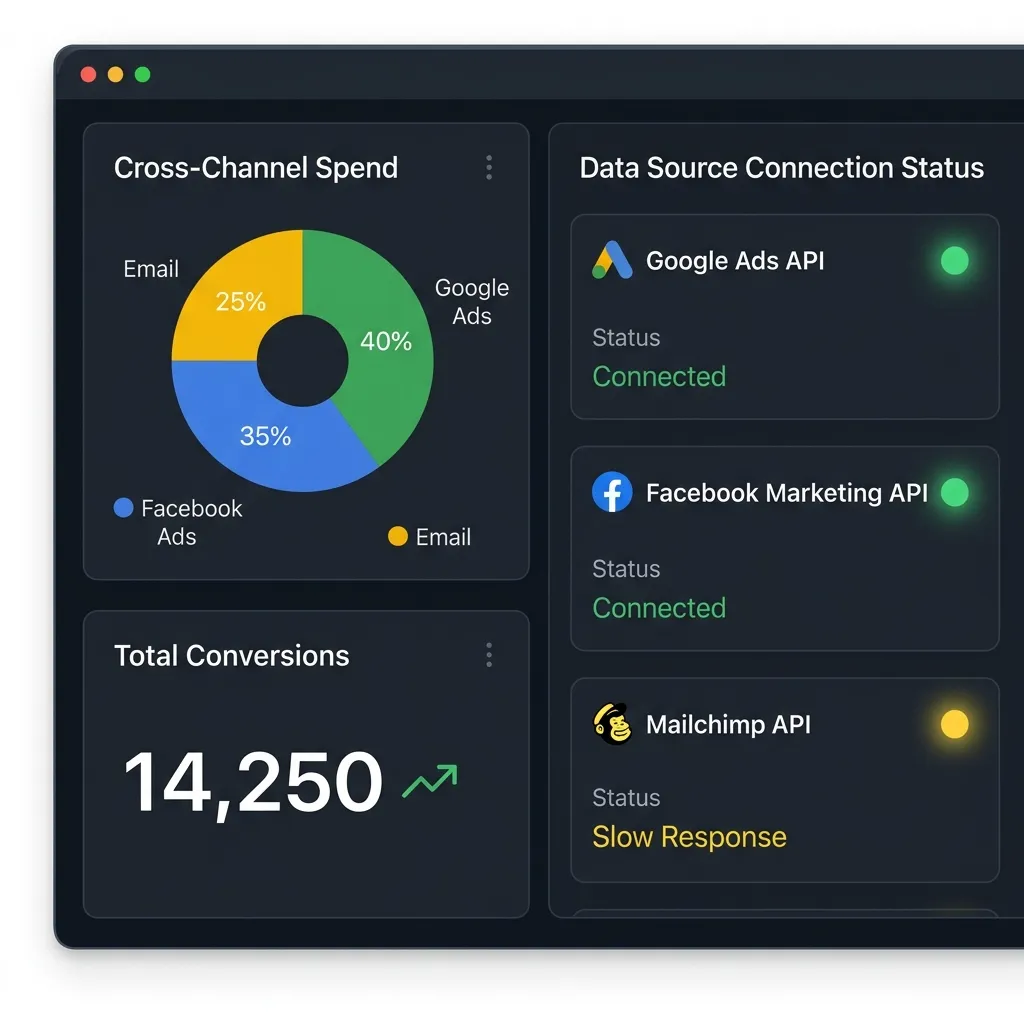
A Digital Marketing Dashboard is a single visual interface that pulls data from all your marketing channels into one place. It helps you track performance in real time, make faster decisions, and boost ROI. This guide covers its benefits, key components, setup steps, and advanced strategies for reporting, segmentation, and webinar conversions.
Marketers juggle data from dozens of sources—website analytics, social media platforms, ad accounts, email tools, and more. Switching between all these tabs wastes time and hides the bigger picture. A Digital Marketing Dashboard solves that problem by gathering everything into one clear view.
This guide walks you through what a Digital Marketing Dashboard is, why it matters, and how to build one that works for your business. You’ll learn the core components every dashboard needs, how to set one up, and advanced tactics for Digital Marketing Reporting, Customer Segmentation in Digital Marketing, and tracking key performance metrics. We’ll also share a Webinar Conversion Playbook to help you turn online events into measurable results.
By the end, you’ll have a practical roadmap for using a Digital Marketing Dashboard to sharpen your strategy and grow your results.
What is a Digital Marketing Dashboard?
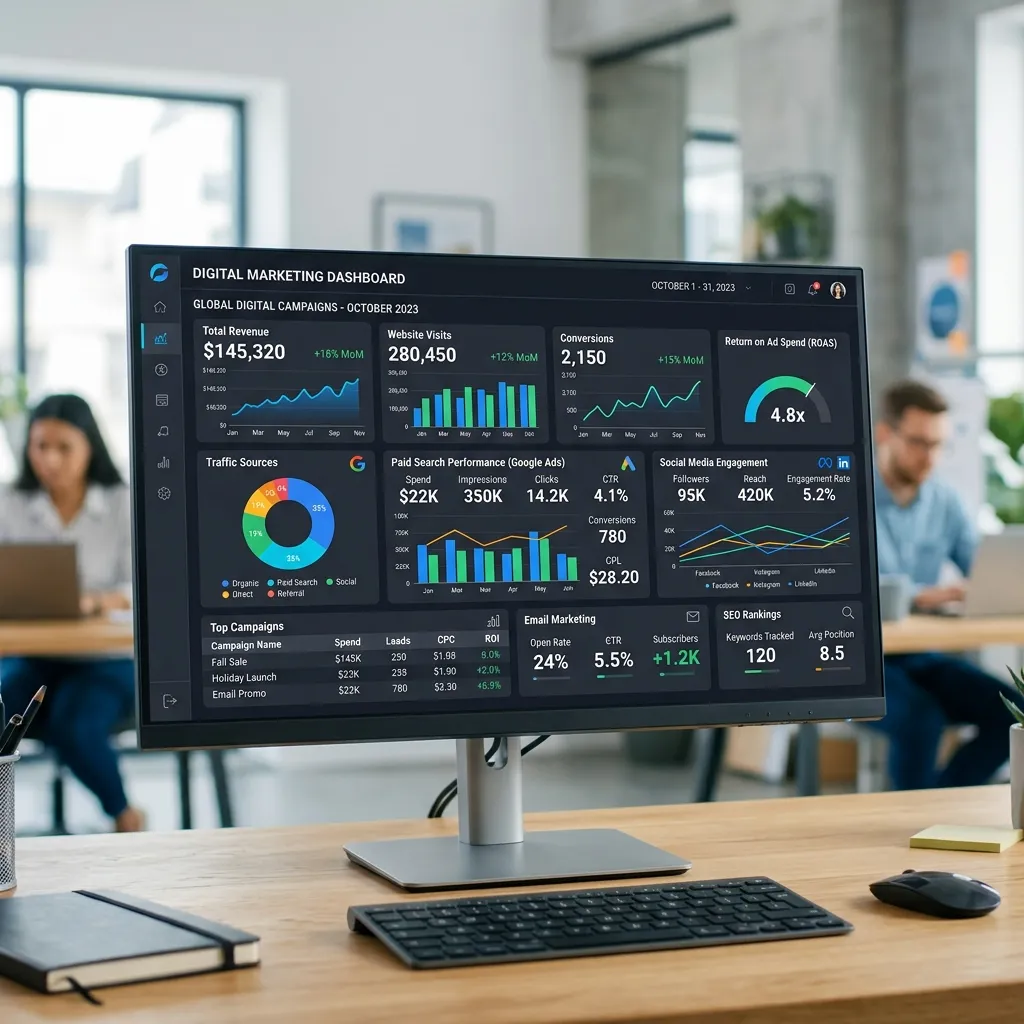
A Digital Marketing Dashboard is a centralized tool that displays your marketing data in charts, graphs, and tables. Instead of logging into five different platforms, you see all your important numbers on one screen.
Think of it as the cockpit of your marketing operation. Every gauge tells you something about how your campaigns are performing. A good Digital Marketing Dashboard updates automatically, so the data you see reflects what’s happening right now.
Why a Digital Marketing Dashboard is essential for modern businesses
Marketing moves fast. Campaigns can succeed or fail within days, and budgets shift quickly. A Digital Marketing Dashboard gives you the visibility to react before small problems become expensive ones. Without one, you’re making decisions based on guesswork or outdated reports.
How a Digital Marketing Dashboard supports strategic planning
Strategy depends on accurate information. When leaders can see clear trends across channels, they plan with confidence. A Digital Marketing Dashboard turns scattered numbers into a story that guides where to invest next quarter and where to pull back.
What are the core benefits of a Digital Marketing Dashboard?
A well-built Digital Marketing Dashboard delivers value across every part of your marketing function. Here are the benefits that matter most.
Real-time performance tracking and insights
A Digital Marketing Dashboard shows live data as campaigns run. If a paid ad suddenly underperforms, you spot it the same day rather than weeks later. This speed lets you fix issues while they still matter.
Better decision-making with actionable data
Raw data alone doesn’t help. A Digital Marketing Dashboard organizes numbers into clear visuals, so you can quickly see what’s working. Teams stop arguing about gut feelings and start acting on facts.
Stronger cross-channel synchronization
Most campaigns run across several channels at once. A Digital Marketing Dashboard lets you compare email, social, and paid search side by side. You see how channels work together and shift budget toward the ones driving results.
Higher ROI through optimized campaigns
When you can see which efforts pay off, you cut waste. A Digital Marketing Dashboard highlights low-performing campaigns so you can pause or improve them. Over time, this focus on what works lifts your return on investment.
What are the key components of an effective Digital Marketing Dashboard?
Every strong Digital Marketing Dashboard combines data from multiple sources. These are the components your dashboard should include.
Website analytics
Track traffic, bounce rate, and conversion rates. These numbers tell you how many people visit your site, how many leave quickly, and how many take action. Website data forms the backbone of most Digital Marketing Reporting.
Social media metrics
Monitor engagement, reach, and sentiment. Engagement shows how people interact with your posts. Reach tells you how many saw them. Sentiment analysis reveals whether the conversation around your brand is positive or negative.
SEO performance
Watch keyword rankings, organic traffic, and backlink profiles. SEO is a long game, so tracking these Digital Marketing Performance Metrics over time shows whether your content strategy is paying off.
Paid advertising (PPC)
Keep an eye on spend, cost-per-click (CPC), and return on ad spend (ROAS). These figures tell you whether your paid campaigns earn more than they cost. PPC data needs daily attention because budgets burn fast.
Email marketing performance
Track open rates, click-through rates, and conversions. Email remains one of the highest-ROI channels, and a Digital Marketing Dashboard helps you see which campaigns and segments respond best.
Digital Marketing Reporting
Pull all of the above into clear reports. Strong Digital Marketing Reporting turns dashboard data into summaries that stakeholders actually read. Good reports answer one question above all: is our marketing working?
How do you set up a Digital Marketing Dashboard?
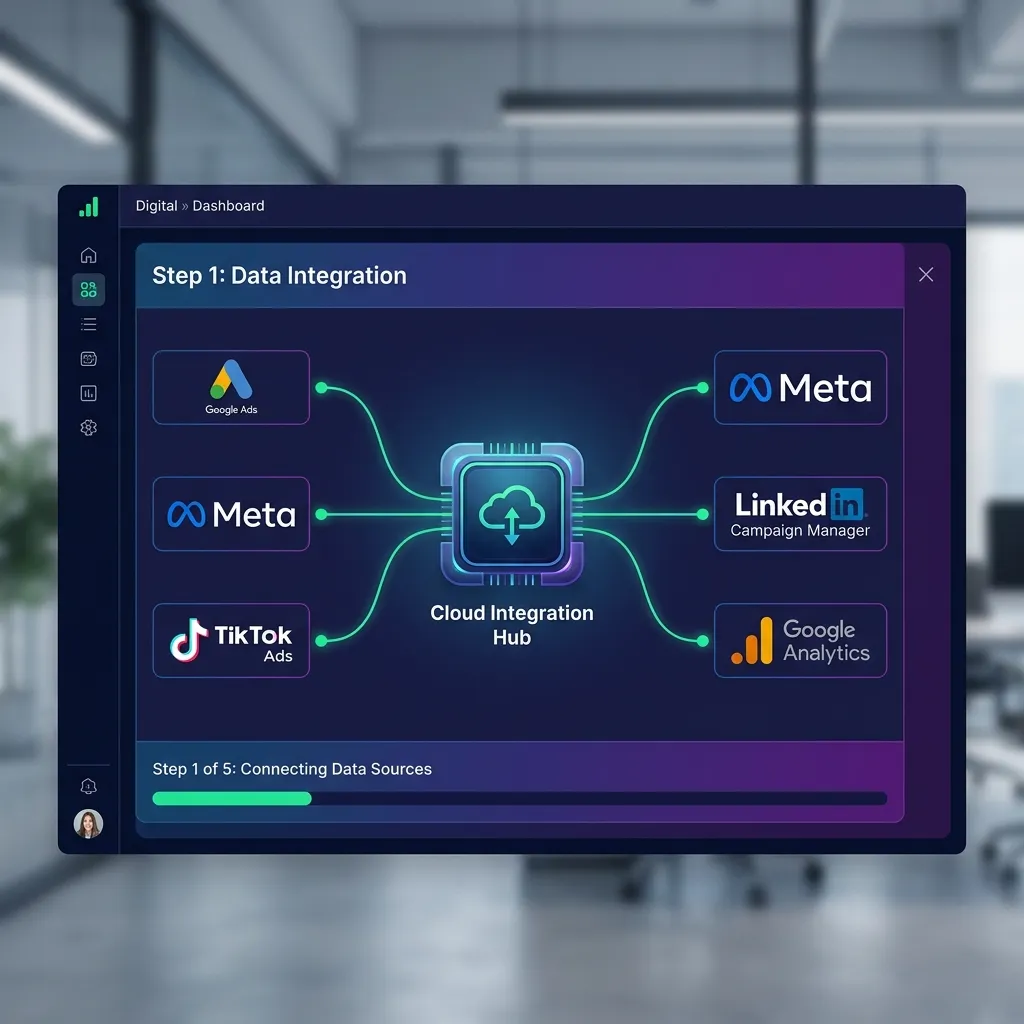
Building a Digital Marketing Dashboard takes planning, but the process is straightforward. Follow these steps.
Choose the right platform
Pick a tool that fits your needs and budget. Google Analytics and Google Looker Studio offer free, powerful options for many businesses. Tableau and Power BI suit larger teams with complex needs. Custom-built solutions work for companies with very specific requirements.
Choose a free tool like Looker Studio if budget matters more than advanced customization. Choose a paid platform like Tableau if you need deep visualization and have the resources to support it.
Define your KPIs
Decide what success looks like before you build anything. Common Key Performance Indicators include conversion rate, cost per lead, and customer acquisition cost. Pick the few that connect directly to your business goals.
Integrate your data sources
Connect every relevant platform—your website, ad accounts, email tool, and social profiles. A unified view only works when all the data flows in. Most modern dashboard tools offer built-in connectors that make this simple.
Customize for your goals
A dashboard for an e-commerce store looks different from one for a B2B software company. Arrange your Digital Marketing Dashboard so the most important metrics sit front and center. Build separate views for different teams if needed.
What are advanced strategies for using a Digital Marketing Dashboard?
Once your dashboard runs smoothly, these strategies help you get more from it.
Customer Segmentation in Digital Marketing
Customer Segmentation in Digital Marketing means grouping your audience by shared traits—age, location, behavior, or purchase history. A Digital Marketing Dashboard makes this easier by showing how different segments respond to your campaigns. You might find that one group converts twice as often as another, which tells you where to focus your spend.
Going deeper with Digital Marketing Performance Metrics
Move beyond basic numbers. Advanced Digital Marketing Performance Metrics include customer lifetime value, attribution by channel, and cohort retention rates. These deeper measures reveal long-term patterns that surface-level data hides.
Using your dashboard for competitive analysis
Some Digital Marketing Dashboard tools let you track competitor activity, such as share of voice or ad presence. Comparing your numbers against industry benchmarks shows where you lead and where you lag.
Predictive analytics and forecasting
Modern dashboards use historical data to predict future trends. Forecasting helps you plan budgets and set realistic targets. If your data shows a seasonal spike each November, you can prepare campaigns well in advance.
How do real companies use a Digital Marketing Dashboard?
Businesses across industries rely on dashboards to drive growth. An e-commerce brand might use a Digital Marketing Dashboard to spot that mobile shoppers abandon carts more often, then redesign its checkout to recover lost sales. A SaaS company might track which content sources bring the highest-value trials and double down on those channels.
Strong Digital Marketing Reporting often makes the difference. One common approach is a weekly summary that highlights the three biggest wins and the three biggest concerns. This keeps teams focused and helps leaders act fast.
Webinar Conversion Playbook: turning events into results
Webinars generate valuable leads, but only if you measure them well. A Webinar Conversion Playbook built around your Digital Marketing Dashboard helps you track every stage of the journey.
Track registration and attendance
Measure how many people register and how many actually show up. The gap between these two numbers reveals how well your reminder emails work. Your Digital Marketing Dashboard can display this as a simple conversion funnel.
Analyze post-webinar engagement and conversions
After the event, track who watched the replay, who booked a follow-up call, and who became a customer. This data shows the true value of each webinar, not just the attendance count.
Optimize future webinars
Use dashboard insights to improve your next event. If attendance peaks at a certain time of day or topic, repeat what works. A solid Webinar Conversion Playbook treats every webinar as a learning opportunity feeding back into your strategy.
How do you overcome common dashboard challenges?
Even the best Digital Marketing Dashboard comes with hurdles. Here’s how to handle the most common ones.
Avoiding data overload
Too many metrics drown out the important ones. Keep your dashboard focused on the numbers that drive decisions. If a metric doesn’t change what you do, leave it off the main view.
Ensuring data accuracy
A dashboard is only as good as its data. Check your integrations regularly and watch for tracking errors. Inaccurate data leads to bad decisions, so accuracy must come first.
Driving user adoption
A dashboard helps no one if your team ignores it. Train people on how to read and use it. Make it part of regular meetings so it becomes a habit rather than an afterthought.
What’s next for Digital Marketing Dashboard technology?

The tools keep evolving. AI and machine learning now power smarter forecasting and automatic insights, flagging trends before humans notice them. Visualization is improving too, with dashboards that tell clearer stories through interactive charts. Expect greater personalization, where each user sees the metrics most relevant to their role.
Final thoughts on the Digital Marketing Dashboard
A Digital Marketing Dashboard is one of the most valuable tools a modern marketing team can own. It brings scattered data into one view, speeds up decisions, and helps you spend every dollar more wisely. From real-time tracking to advanced Customer Segmentation in Digital Marketing, the right dashboard turns information into action.
Start small. Pick a platform, define a handful of KPIs, and connect your top data sources. As your confidence grows, layer in advanced Digital Marketing Performance Metrics, sharper Digital Marketing Reporting, and a structured Webinar Conversion Playbook. The sooner you build your Digital Marketing Dashboard, the sooner you’ll make smarter, faster marketing decisions.
Frequently asked questions
What is the primary purpose of a Digital Marketing Dashboard?
The primary purpose is to bring all your marketing data into one place. A Digital Marketing Dashboard lets you track performance across channels, spot trends quickly, and make decisions based on facts rather than guesswork.
How often should I review my Digital Marketing Dashboard?
Review key metrics daily for fast-moving channels like paid ads, and do a deeper review weekly. Monthly reviews work well for long-term trends like SEO. The right cadence depends on how quickly your campaigns change.
Can a Digital Marketing Dashboard help with budget allocation?
Yes. By showing which channels deliver the best return, a Digital Marketing Dashboard helps you move budget toward what works and away from what doesn’t. This makes your spending more efficient over time.
What are the essential Digital Marketing Performance Metrics to track?
Start with conversion rate, cost per lead, return on ad spend, click-through rate, and customer acquisition cost. These core Digital Marketing Performance Metrics connect directly to revenue and growth.
How does Customer Segmentation in Digital Marketing benefit from a dashboard?
A dashboard shows how different audience groups respond to campaigns. Customer Segmentation in Digital Marketing becomes far more powerful when you can see, at a glance, which segments convert best and deserve more attention.
Is a custom Digital Marketing Dashboard better than an off-the-shelf solution?
It depends on your needs. Off-the-shelf tools like Looker Studio suit most businesses and cost less. Choose a custom Digital Marketing Dashboard if you have unique data sources or reporting requirements that standard tools can’t handle.
How can I ensure data privacy within my Digital Marketing Dashboard?
Limit access to those who need it, follow regulations like GDPR, and choose platforms with strong security standards. Regularly audit who can view sensitive data in your Digital Marketing Dashboard.
What role does Digital Marketing Reporting play in overall strategy?
Digital Marketing Reporting translates raw data into insights leaders can act on. Strong reporting keeps everyone aligned on goals and shows whether your strategy is working or needs adjustment.
How can a Digital Marketing Dashboard improve my Webinar Conversion Playbook?
It tracks every stage of your webinar funnel, from registration to final conversion. With this data, your Webinar Conversion Playbook becomes a repeatable system you improve after each event.
What’s the difference between a dashboard and a report?
A dashboard shows live, interactive data you can explore anytime. A report is a fixed summary created for a specific moment. Both matter, and good Digital Marketing Reporting often pulls directly from your dashboard.
How long does it take to set up a Digital Marketing Dashboard?
A basic dashboard using a tool like Looker Studio can be ready in a few hours. A more complex, fully integrated Digital Marketing Dashboard with custom views may take several weeks to build and refine.
Who on my team should own the Digital Marketing Dashboard?
Usually a marketing analyst or marketing manager owns the dashboard. That person keeps the data accurate, updates the views, and makes sure the team uses it in regular decision-making.



Leave a Reply